
Steps to setting up your Eylar Affiliate Account
Follow these 3 easy steps to become an Eylar Affiliate and start earning commission today!
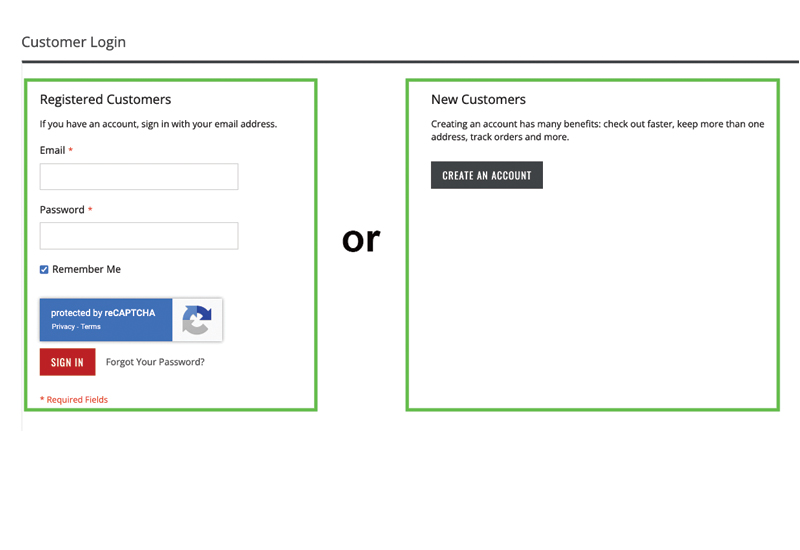
Step 1: Create Account
- Create a username and password to access the affiliate program.
- If you have an account, move on to Step 2. Create an Account
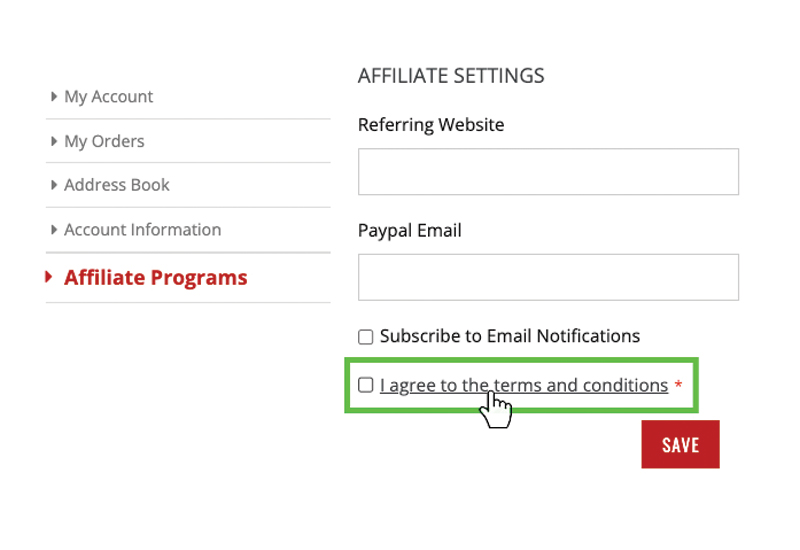
Step 2: Agree to Terms and Conditions
- You must agree to the terms and conditions before becoming an affiliate
- A W9 form must be completed in order to receive commission pay outs.
- Enter in a valid PayPal email address. This PayPal account will receive the commission payout. Activate Affiliate Account
Must login to activate affiliate account
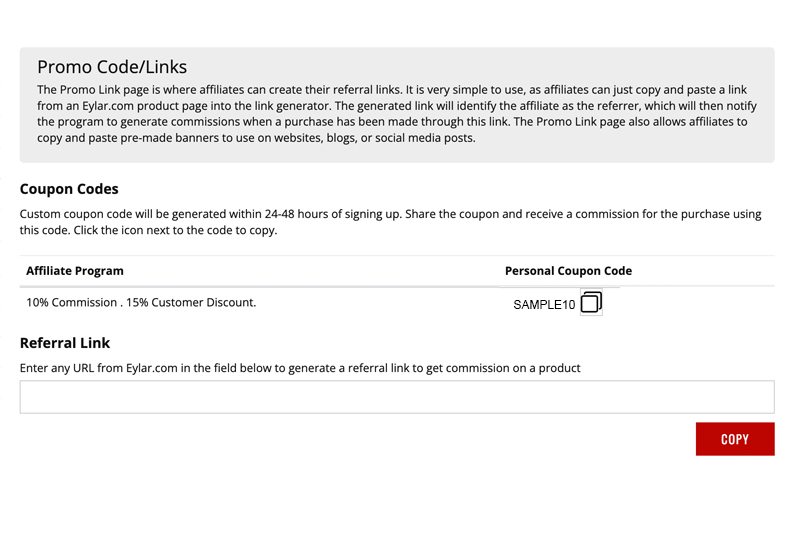
Step 3: Generate Affiliate Link
- Copy a link from a product page on Eylar.com into the referral link box.
- Custom coupon codes can be generated for each individual affiliate.
- Pre-made banners are available to use on websites and blogs. Create Links
Must login to generate links
Affiliate Program FAQs
Q: What type of commission can I earn?
A: You can earn 10% commission on each Eylar item sold when you refer someone to purchase that product through a given affiliate link. See Terms and Conditions for more details.
Q: How do I get started?
A: To get started, sign up for the program and follow the instructions provided HERE.
Q: Is there a cost to join?
A: The Eylar affiliate program is free to join.
Q: Are there any restrictions on how I can promote the program?
A: Yes, you must adhere to our Terms and Conditions when promoting the program.
Q: How often will I be paid?
A: Commissions will be paid every 45 days once you hit $50 in earned commissions. You can check the progress of your commission and view all requirements by visiting the Eylar Affiliate Portal.