
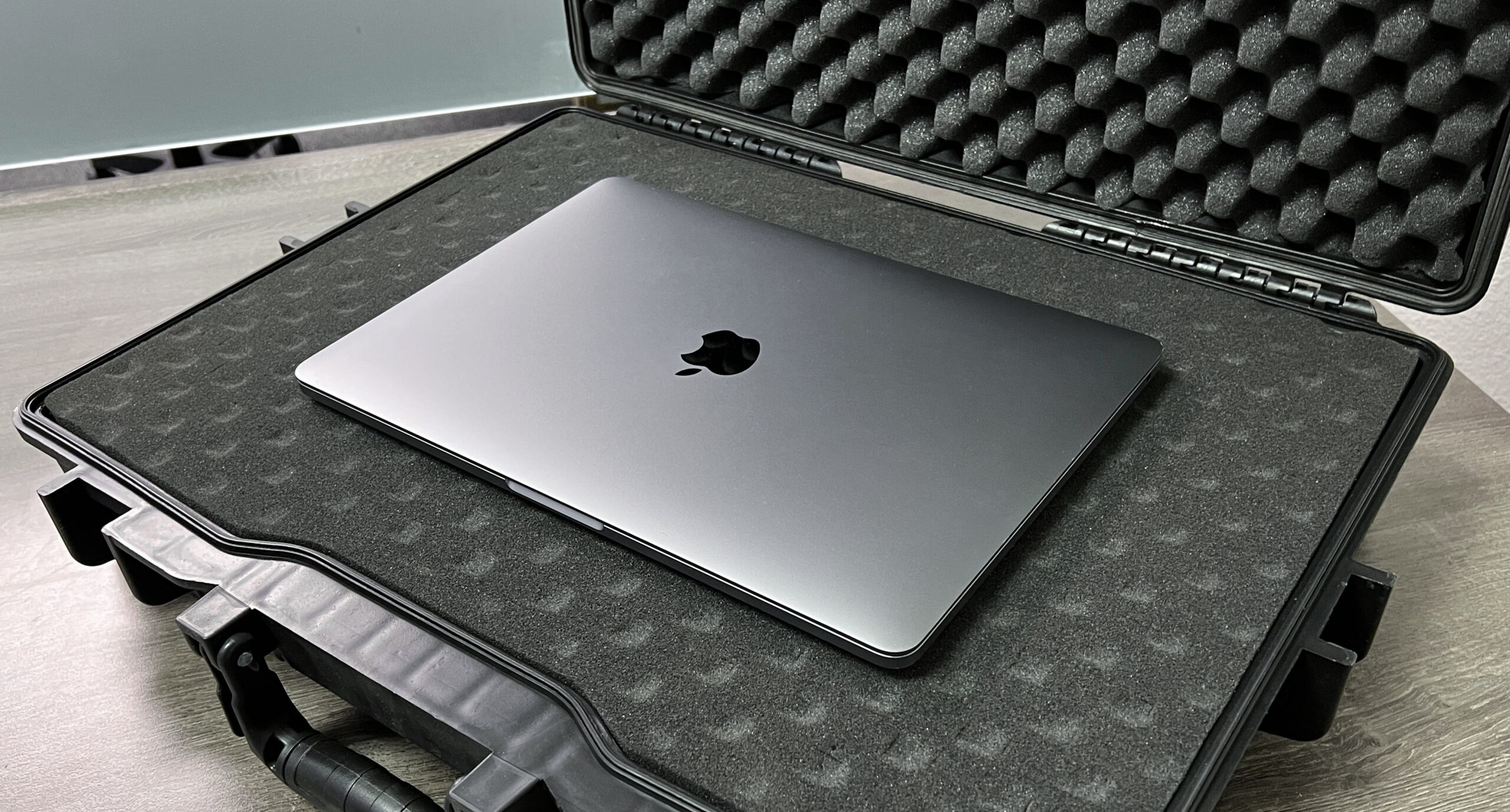
What a laptop hard case actually protects against, how to size one for your machine, which foam layout works best, and how to pack one for a flight or a job site.
A laptop hard case is a rigid, foam-lined box that shields a laptop from drops, crushing, water and dust — protection a padded sleeve cannot match. Eylar® laptop cases come in 20-inch and 22-inch sizes, carry an IP67 waterproof and dustproof rating, and hold foam you can cut or rearrange to fit your machine.
What size laptop hard case do you need?
Size by internal dimensions, never the model name. A “20-inch” case is 20 inches on the outside; the usable space inside is smaller because of the wall thickness and the foam.
Photographers who carry a laptop alongside their bodies and lenses often pair it with one of our hard camera cases, so the whole kit travels with the same IP67 protection.
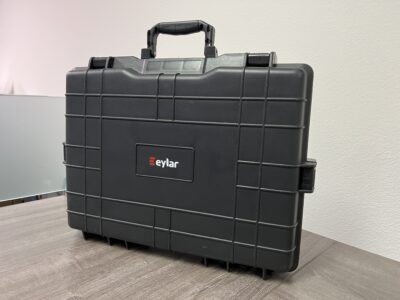
Measure your laptop closed: length, width, and thickness at its thickest point (usually the hinge or the rear vents). Then add about 1 inch to the length and width for the foam wall around it. That extra inch is the part that absorbs an impact. A laptop pressed tight against the plastic shell has nothing left to absorb a drop.
| Model | External | Internal | Weight | Foam |
|---|---|---|---|---|
| Eylar 20″ Hard Laptop Case (SA00025-RG-XP) | 19.8″ x 13.9″ x 4.6″ | 17.7″ x 11.3″ x 4.1″ | 7.1 lb | 1 RAGAR reconfigurable layer |
| Medium 20″ Protective Case (SA00025) | 19.87″ x 13.93″ x 4.68″ | 17.75″ x 11.37″ x 4.12″ | 7.1 lb | Egg-crate + pick-and-pluck + solid base |
| Eylar 22″ Hard Laptop Case (SA00024-RG-XP) | 21.62″ x 17.25″ x 4.87″ | 18.87″ x 13.12″ x 3.81″ | 8.6 lb | 1 RAGAR reconfigurable layer |
Practical read on those numbers:
- Compact ultrabooks and small-screen laptops fit either size with room left over for a charger, mouse, drives and a notebook.
- Standard mid-size laptops sit comfortably in the 20″ case and leave generous margin in the 22″.
- Large-screen and wide gaming machines are where the 22″ case earns its keep: 18.87 x 13.12 inches inside gives you the full footprint plus foam walls on every side.
- Two devices, or a laptop plus a drone: go to the 22″. The extra width lets you build two separate cavities side by side instead of stacking.
Depth matters too. Most laptops are under an inch thick, so a 3.81″ or 4.1″ interior leaves room for a foam floor under the machine, foam over the top, and a cable layer. If you are replacing foam in a case you already own, the guide on how to measure a case for replacement foam walks through interior measuring without guesswork.
Is a hard case better than a padded laptop sleeve?
They solve different problems. A sleeve stops scratches and softens a bump inside a backpack. A hard case stops the things that actually kill laptops.
- Crushing. A polypropylene shell takes the load when a duffel bag lands on top of your gear in a truck bed or an overhead bin.
- Water. Eylar’s IP67 cases seal with a rubber gasket around the rim that compresses when the latches close. The 20″ and 22″ laptop cases are rated IP67: dustproof, and sealed against water in up to 1 meter of full submersion when latched shut.
- Dust and grit. Sawdust, sand and drywall dust find their way into fans and keyboards. A sealed case keeps them out.
- Drops. Foam does the work here. The shell spreads the impact; the foam keeps the laptop from taking it.
The tradeoff is weight and bulk: 7.1 to 8.6 pounds empty. If you walk a laptop from your car to a desk, a sleeve is fine. If your laptop rides in a vehicle, gets checked at an airport, or goes anywhere with weather, the extra pounds buy you protection a soft bag cannot give.
Can you fly with a laptop hard case?
Yes, in either carry-on or checked baggage — but the two sizes behave differently.
The 22″ case measures 21.62 x 17.25 inches on the outside, wider than most airline carry-on sizers allow, so plan on checking it. The 20″ case at 19.8 x 13.9 x 4.6 inches is slimmer and much closer to standard carry-on limits, though allowances vary by airline and aircraft. Measure it against your carrier’s published dimensions before you leave for the airport.
A few travel habits that save headaches:
- Lock it if the model has lockable hasps. Many Eylar hard cases ship with lockable hasps and TSA-approved fittings — check the listing for the model you buy, then use TSA-recognized locks so screeners can open and re-close the case instead of cutting through.
- Let the valve do its job. Models that include an automatic pressure-equalization valve, such as the Medium 20″, balance inside and outside air pressure as you climb and land, so the lid isn’t vacuum-stuck when you get off the plane.
- Pull the battery-powered extras you can’t check. Spare lithium batteries and power banks have to travel in the cabin, not in checked baggage. Leave a pocket for them in your carry-on.
- Add an ID plate. Eylar offers custom laser-engraved ID plates, and one on the lid is faster to spot on a carousel than a luggage tag that tears off.
- Photograph the packed layout. If a bag is opened for inspection, a photo makes repacking obvious and helps with any claim.
Both the 20″ laptop case with RAGAR foam and its 22″ sibling use the same sealed-shell design, so the airport routine is identical — only the footprint changes.
Pick-and-pluck or RAGAR foam: which is better for a laptop?
Pick-and-pluck is the classic three-layer setup: egg-crate foam in the lid, a cubed layer you pull apart square by square, and a solid base. It’s simple and it works. The catch is that it’s permanent. Pull the cubes to fit your current laptop, and that cavity keeps those exact dimensions forever. Buy a different machine or add a tablet, and you need new foam.
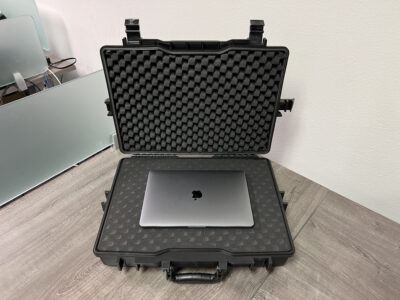
RAGAR is Eylar’s reusable system made of XP crosslinked closed-cell foam, covered by U.S. Patent No. 12,358,707. Blocks lift out and drop back in, so you build a cavity today and rebuild it next year. For laptop users that matters more than it does for most gear, because laptops get replaced on a cycle and the accessories around them change — a dock this year, a drone controller the next.
Three things worth knowing before you build a layout:
- Closed-cell foam doesn’t soak up water. If a little moisture gets in while the case is open, it wipes off instead of sitting in the foam against your laptop.
- Leave one or two block positions open as a spare pocket for a charger brick and a short cable. You’ll use it every trip.
- The red-and-black RAGAR version makes layout edges easy to see at a glance, which helps when you’re repacking in bad light. It comes in both the 22″ red/black RAGAR configuration and a 20″ version. Extra and replacement RAGAR inserts are sold separately at ragarfoam.com.
How should you pack a laptop inside a hard case?
Use this checklist the first time you build the layout:
- Close the laptop and measure it — length, width, thickest point.
- Keep at least 1 inch of foam on every side and at least a half inch under and over the machine.
- Put the laptop flat, screen up, never on edge. Edge-loading concentrates shock on the hinge.
- Don’t bury hard objects under it. A power brick or a socket set under the laptop becomes a punch point in a drop. Give heavy items their own cavity to the side.
- Coil cables loosely in a shallow pocket. Tight coils press into the lid foam and leave marks on the screen bezel.
- Test the lid. Close the case. If you feel resistance, the stack is too tall — the lid foam should touch the laptop with gentle pressure, not fight the latches.
- Shake it. Closed and latched, nothing should shift or rattle.
- Wipe the gasket. Grit on the rim seal is the most common reason a waterproof case leaks.
Which Eylar laptop case is right for your setup?
- Laptop plus a few accessories, kept as travel-friendly as possible: the 20″ size. 17.7 x 11.3 x 4.1 inches inside, 7.1 pounds, and slim enough to slide into a tight vehicle space.
- Large-screen laptop, dual devices, or laptop plus drone or camera body: the 22″ hard laptop case with RAGAR foam, with 18.87 x 13.12 inches of interior space to lay things out side by side.
- One fixed kit that never changes: the Medium 20″ case with standard three-layer foam. Pick-and-pluck middle layer, egg-crate lid, solid base, pressure-equalization valve, and it fits most full-size laptops with space for power cables and accessories.
If you carry a tablet, a hotspot and a couple of drives instead of a full laptop, a smaller body may serve you better. Compare interior sizes across the laptop case lineup before you commit — the right case is the smallest one that still leaves an inch of foam around your gear. Eylar.com includes free US shipping and 30-day returns, so you can test the fit at home and send the case back if the interior is wrong.
FAQ
Will a large-screen laptop fit in the 20-inch case?
Often, but it can be tight. The 20″ case gives you 17.7 x 11.3 inches inside, so measure your laptop closed and compare it to that footprint. If the machine leaves less than an inch of foam on the long sides, step up to the 22″ case with 18.87 x 13.12 inches inside — it’s the safer fit and still leaves room for a charger.
Is an IP67 laptop hard case really waterproof?
IP67 means the case is dustproof and holds its seal in up to 1 meter of full submersion when it is latched shut. The rubber gasket along the rim does the work. Keep the gasket clean and every latch closed; grit on the seal is what lets water in.
Can I change the foam layout later if I get a new laptop?
With RAGAR foam, yes — the XP crosslinked blocks lift out and go back in, so you rebuild the cavity for the new machine instead of buying new foam. With standard pick-and-pluck foam, the cavity is permanent once the cubes are pulled, and you would order a replacement layer to start over.
